Gartner expects over 40% of agentic AI projects to be canceled by the end of 2027, and the three reasons it gives are escalating costs, unclear business value and inadequate risk controls. Two of those three are exactly why teams start searching for Gumloop alternatives.
Gumloop changed a lot in 2026. Its pricing page now lists Workflows as "Legacy", the product is sold as an agent platform, and every agent chat is billed as model tokens plus tool calls plus compute minutes plus an 8% orchestration fee. If you built predictable flows on the old canvas, or if your credit bill keeps moving, you are probably asking the same question: what else is out there?
This guide compares 8 Gumloop alternatives, with prices checked on each vendor's own pricing page in October 2026. Instead of one long ranked list, it sorts them by the job you actually need done.
The short version
- Best flow builders if you want predictable, step-by-step automation: n8n and Make.
- Best agent builders if you want AI to make judgement calls: Lindy and Dust.
- Best always-on option if the work has to run every day without anyone watching, with approvals and logs: Rerun.
In a hurry? You can try an always-on AI coworker free for 5 days and compare it against your current Gumloop setup.
Why teams look for Gumloop alternatives in 2026
Gumloop is a good product. The canvas is approachable and the connector catalog is broad. But three changes push teams to look around.
Workflows are now "Legacy", agents come first
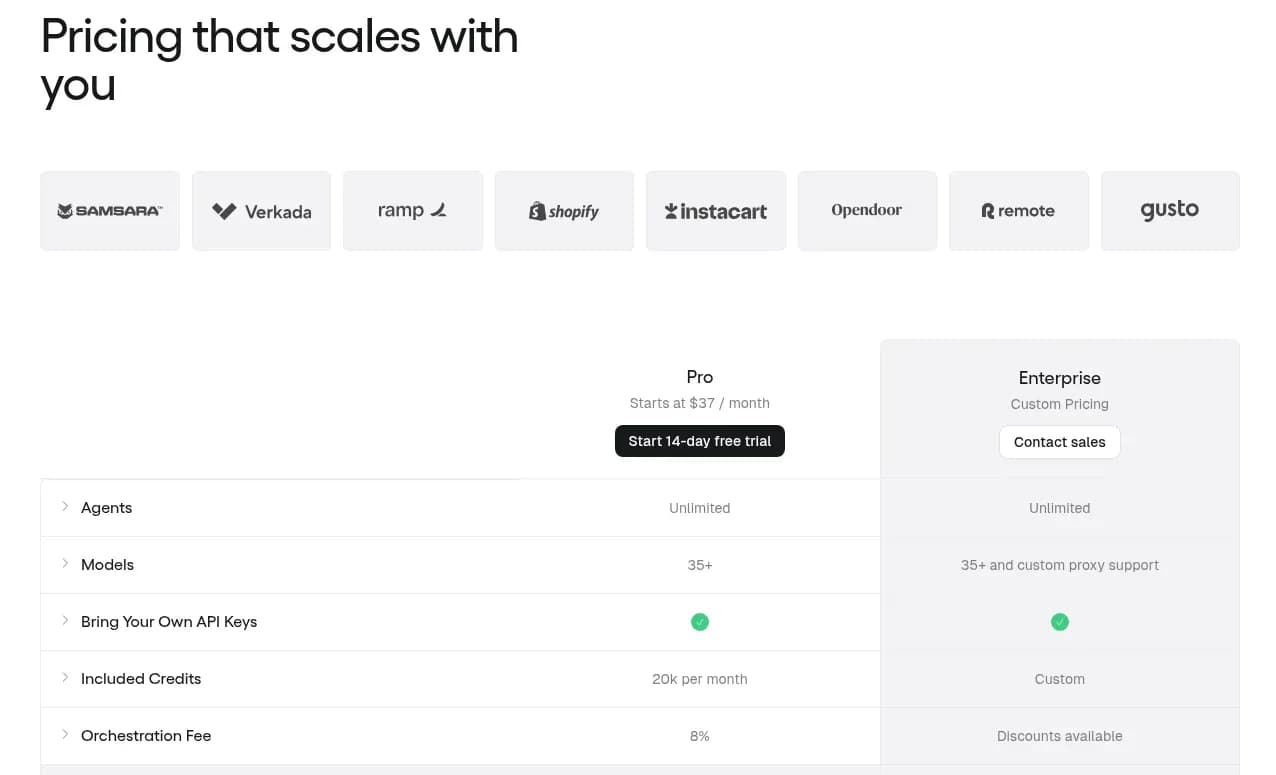
On the Gumloop pricing page, the workflow features sit under a section literally titled Workflows (Legacy), next to the agent features, the Company Brain, Slack and Teams agents and Human in the Loop. Pro includes 5 concurrent workflow runs and 25 concurrent agent chats.
If your business runs on deterministic flows (a form comes in, a row is written, an email goes out), "legacy" is not a word you want next to your core process. It does not mean the feature disappears tomorrow, but it tells you where the roadmap is going.
How Gumloop credits actually work
Gumloop's credits documentation is unusually transparent, which makes the maths easy to check. Here is what an agent chat costs:
| Component | What it covers | Cost |
|---|---|---|
| Chat and reasoning | Model tokens, billed at cost | Model cost divided by $0.005 |
| Tool calls | Each successful connector call | 1 credit, plus that tool's own charge |
| Compute | Active processing time | 5 credits per session-minute |
| Orchestration fee | Running the agent loop | 8% of the three lines above |
One credit is worth $0.005, so $1 buys 200 credits. The Pro plan starts at $37 a month and includes 20,000 credits a month (7,400 at list price plus 12,600 bonus credits). Unused credits do not roll over, except on Enterprise.
Gumloop says it plainly: the same agent "might cost 2 credits for a quick question and 200 for a deep research task." Variable pricing is not a scandal. The problem is predicting it, which is the theme of our guide to AI agent cost. Here is an illustrative example for a small daily agent:
Illustrative Gumloop Pro math (our assumptions, not a quote)

One run: 2 minutes of active compute, 2 connector calls, about $0.10 of model tokens
  Compute            2 min x 5 credits        = 10 credits
  Tool calls         2 x 1 credit             =  2 credits
  Chat and reasoning $0.10 / $0.005           = 20 credits
  Orchestration fee  8% of 32, rounded up     =  3 credits
  Total per run                               = 35 credits (about $0.18)

20 runs a day x 30 days = 600 runs = 21,000 credits a month
Included on Pro: 20,000 credits, so you are already into overage
The numbers per run are tiny. The issue is that a modest daily agent can quietly use the whole monthly allowance, and you only find out from the usage page.
Bring your own key costs more in fees
Bringing your own model key sets Gumloop's model credits to zero, which sounds like the obvious fix. But the orchestration fee then doubles from 8% to 16%, calculated on what the run would have cost. Gumloop's own example drops from 459 credits to 93 credits, and you pay the model provider separately. It is still usually cheaper, just less simple than "bring your key, pay nothing extra."
Other limits worth knowing
- No free plan. Every account gets a 14-day Pro trial that requires a card and rolls into a paid plan unless you cancel.
- Overage is capped by default at 1,000,000 credits per billing period on Pro, which is $5,000. You can lower that cap.
- The Insights dashboard is Enterprise-only. On Pro, you track spend per chat and in credit logs.
To be fair to Gumloop, it also has thoughtful controls: admins can set per-chat credit warnings that pause an agent and ask for approval before it keeps spending. If you are happy with the product and only need a better handle on cost, that setting may be all you need.
 Gumloop
How we compared the Gumloop alternatives
We judged every tool on what matters when you leave Gumloop, not on feature counts:
- How you build: visual flows, AI agents, or always-on coworkers that run on their own.
- Pricing predictability: flat plan, executions, credits, or seats.
- Free option: a real free tier, a time-limited trial, and whether a card is required.
- Human approvals: can a person sign off on a risky step before it happens?
- Monitoring and logs: can you see what ran, when, and why?
- Hosting: cloud only, or self-hosting too.
- Learning curve: how fast a non-technical teammate gets value.
One tool you will not find here: Relay.app, which several other "Gumloop alternatives" lists still recommend. Relay.app shut down in September 2026 and deleted all accounts and workflows. If a list still suggests it, it has not been updated.
For the broader landscape beyond Gumloop, our guide to AI workflow automation covers the categories in more depth.
Gumloop alternatives at a glance
| Tool | Type | Starting price | Free option | Self-host | Human approvals | Runs 24/7 unattended |
|---|---|---|---|---|---|---|
| Gumloop (baseline) | Agent platform | $37/mo | 14-day trial, card required | Partial | Yes | Yes |
| n8n | Flow builder | €20/mo, yearly | Free self-hosted Community Edition | Yes | Partial | Yes |
| Make | Flow builder | $9/mo, yearly | 1,000 credits a month | No | Partial | Yes |
| Zapier | Flow builder plus agents | $19.99/mo, yearly | 100 tasks a month | No | Partial | Yes |
| Activepieces | Open-source flow builder | $20/mo | 1,000 credits a month | Yes | Partial | Yes |
| Lindy | Agent builder | $49.99/mo per user | $50 of credits for 7 days | No | Yes | Yes |
| Dust | Workspace agents | €24/seat/mo, yearly | 500 lifetime credits | No | Partial | Yes |
| Relevance AI | Enterprise AI workforce | Talk to sales | None | No | Yes | Yes |
| Rerun | Always-on coworkers | $29/mo for 5 coworkers | 5-day trial, card required | Partial | Yes | Yes |
✅ built in, ⚠️ partial or plan-dependent (Gumloop offers a private VPC on Enterprise, Rerun offers custom infrastructure on Enterprise, and flow builders need the approval step designed into each flow), ❌ not available.
The table hides one important nuance: every tool here can technically run on a schedule. The real difference is what happens when something unexpected shows up at 3 a.m. A flow stops or errors. An agent improvises. An always-on coworker can stop and ask a human.
Flow builders: when you need predictable workflows
If what you liked about Gumloop was the canvas, and your processes follow the same steps every time, a flow builder is the honest answer. These tools are cheaper per run than any agent platform and far easier to debug.
1. n8n
Verdict: the best Gumloop alternative for technical teams that want control and self-hosting.
How it differs from Gumloop: n8n is a node-based workflow builder with AI and agent nodes on top. You wire every step yourself, and you can host it on your own server.
Pricing: the self-hosted Community Edition is free. On n8n's pricing page, Cloud Starter is €20 a month billed annually for 2,500 workflow executions, Pro is €50 for 10,000, and Business is €667 a month billed annually. n8n bills per full execution, regardless of how many steps it contains, which makes long workflows cheap. The trial needs no card.
Where it falls short: the learning curve is real, and you own the maintenance when an API changes. AI judgement lives inside nodes you have to design.
Choose it if you have someone technical and want full control of your data and your costs. We go deeper in our n8n alternatives guide, and you can see how Rerun compares with n8n.
2. Make
Verdict: the best value for visual branching logic on a budget.
How it differs from Gumloop: Make, owned by Celonis, is a visual scenario builder with routers, filters and error handlers. It has added AI agents, but its strength is still deterministic flows.
Pricing: the free plan includes 1,000 credits a month. Paid plans on Make's pricing page start at $9 a month for Core, $16 for Pro and $29 for Teams, billed yearly for 10,000 credits. Most actions cost 1 credit, AI features can cost more, and credits expire at the end of the term. If you are weighing the two classic builders, our n8n vs Make breakdown compares them directly.
Where it falls short: big scenarios become hard to read, and every module adds to the credit count.
Choose it if you want the cheapest reliable flow builder and your team is comfortable with a canvas. See Rerun vs Make for the agent side of the comparison.
3. Zapier
Verdict: the widest app coverage and the gentlest learning curve.
How it differs from Gumloop: Zapier connects thousands of apps with simple trigger and action steps, and now sells Zapier Agents on a separate activity quota.
Pricing: the free plan includes 100 tasks a month. On Zapier's pricing page, Professional starts at $19.99 a month billed yearly for 750 tasks, and Team starts at $69. Every action counts as a task, so costs climb with volume. Our Make vs Zapier comparison runs the numbers on 1,000 runs a month.
Where it falls short: per-task pricing gets expensive for multi-step, high-volume work, and complex logic is awkward.
Choose it if your team is non-technical and the integration you need only exists on Zapier. We list more options in our Zapier alternatives guide, and Rerun vs Zapier covers the head-to-head.
4. Activepieces
Verdict: the open-source option without n8n's learning curve.
How it differs from Gumloop: Activepieces is an open-source builder with flows, agents, tables and MCP support, and you can run it on its cloud or your own servers on every plan.
Pricing: per Activepieces pricing, the Free plan includes 1,000 credits a month with no card. Plus is $20 a month flat for 10,000 credits and lets you bring your own AI keys, and Team is $200 a month for 50,000 credits and 25 users. Overage is $0.007 per credit.
Where it falls short: a smaller connector library than Zapier or Make, and advanced governance is reserved for the custom Ultimate plan.
Choose it if you want open source and self-hosting, but your team is not made of engineers.

Best No-Code AI Agent Builders in 2026: Ranked and Tested
We tested the top no-code AI agent builders of 2026. See which tools actually let you build, deploy, and monitor autonomous agents, no code required.
Agent builders: when you want AI to make decisions
If you moved to Gumloop's agents on purpose, because each case needs judgement, these are the closest swaps. They all bill on credits too, so read the fine print the same way.
5. Lindy
Verdict: the strongest pick for inbox, meeting and calendar assistants.
How it differs from Gumloop: Lindy is built around a personal or team assistant that lives in Slack, email and iMessage, with scheduled routines, meeting notes and built-in approvals.
Pricing: per Lindy's pricing page, you start with $50 in free credits that last 7 days, no card required. Team is $49.99 a month for 5,000 credits, and every active user is billed. Credits pool across the team, and top-ups cost $10 per 1,000 credits.
Where it falls short: per-user billing adds up for larger teams, and deep research tasks can use 250 to 1,000 credits each.
Choose it if your main use case is an executive-assistant style agent. Our Rerun vs Lindy comparison goes further.
6. Dust
Verdict: the best match for Gumloop's Company Brain, meaning agents grounded in company knowledge.
How it differs from Gumloop: Dust connects to Slack, Notion, GitHub, Drive and more, then lets teams build agents that search and act on that knowledge, with multi-agent workflows on schedules and triggers.
Pricing: on Dust's pricing page, Free seats get 500 lifetime credits. Pro is €24 per seat a month billed yearly (€30 monthly) with 8,000 credits, and Max is €120 per seat billed yearly (€150 monthly) with 40,000 credits. Credits do not roll over.
Where it falls short: it is seat-based, so costs scale with headcount, and its center of gravity is knowledge work rather than operations.
Choose it if your agents mostly answer questions from internal documents. See Rerun vs Dust for the operations angle.
7. Relevance AI
Verdict: for larger companies building a multi-agent "AI workforce" with a sales team behind them.
How it differs from Gumloop: Relevance AI focuses on teams of agents for sales, support and operations, with calling and meeting agents, evaluations and A/B testing.
Pricing: Relevance AI's pricing page is now sales-led only: custom actions, custom vendor credits, unlimited agents and users, 2,000+ integrations, SSO, RBAC and audit logs. There is no public self-serve price.
Where it falls short: no self-serve entry point, so it is not a quick swap for a small team leaving Gumloop Pro.
Choose it if you are an enterprise buyer who wants a vendor-led rollout.

Always-on coworkers: when the work has to run 24/7
There is a third situation that neither group above really answers. You built something that works. Now it needs to run every day, without anyone babysitting a chat window, with a person signing off on the risky steps and a log you can audit afterwards. That is less a building problem than an operations problem.
8. Rerun
Verdict: the pick when the hard part is not building the automation, but running it reliably every day.
How it differs from Gumloop: On Rerun, AI agents are called coworkers. You pick a ready-made coworker from a library of 110+ or describe your own, connect your tools, and it runs 24/7 on your workspace's private cloud machine. Rerun is not a visual flow builder and not a framework. It is the layer that keeps the work running and visible:
- Approvals in the app: a coworker pauses before sensitive actions (a refund, an email to a customer, a CRM update) and resumes exactly where it stopped once someone approves.
- Autopilot within your rules: routine questions can be answered automatically, inside limits you set, so work does not stall overnight.
- Live logs and monitoring: every action, tool call and cost is visible, so "what did the agent do?" has an answer.
- Any model: use Rerun's hosted models, or plug in your own ChatGPT or Claude plan or API key.
- 3,000+ apps and MCPs your coworkers can work in.
Pricing: per Rerun's pricing page, the Pro plan is $29 a month for 5 coworkers, with unlimited seats and 500 credits a month for the models Rerun hosts. Extra coworkers come in packs of 5 for $10 a month, and extra credits are $10 per 1,000. There is no per-task or per-run charge. The free trial lasts 5 days with up to 3 coworkers and 350 credits; a card starts it and nothing is charged during the 5 days.
Where it falls short, honestly: there is no free-forever plan. It is not the tool for high-volume, fully deterministic data pipelines, where n8n or Make will be cheaper and simpler. And if you want to drag boxes on a canvas, you will miss that here.
Choose it if your Gumloop agents already prove the value, and what you need now is for that work to run every day with approvals, logs and a flat bill.
A typical example: a coworker that triages the inbox each morning, updates the CRM and drafts replies for a human to approve.
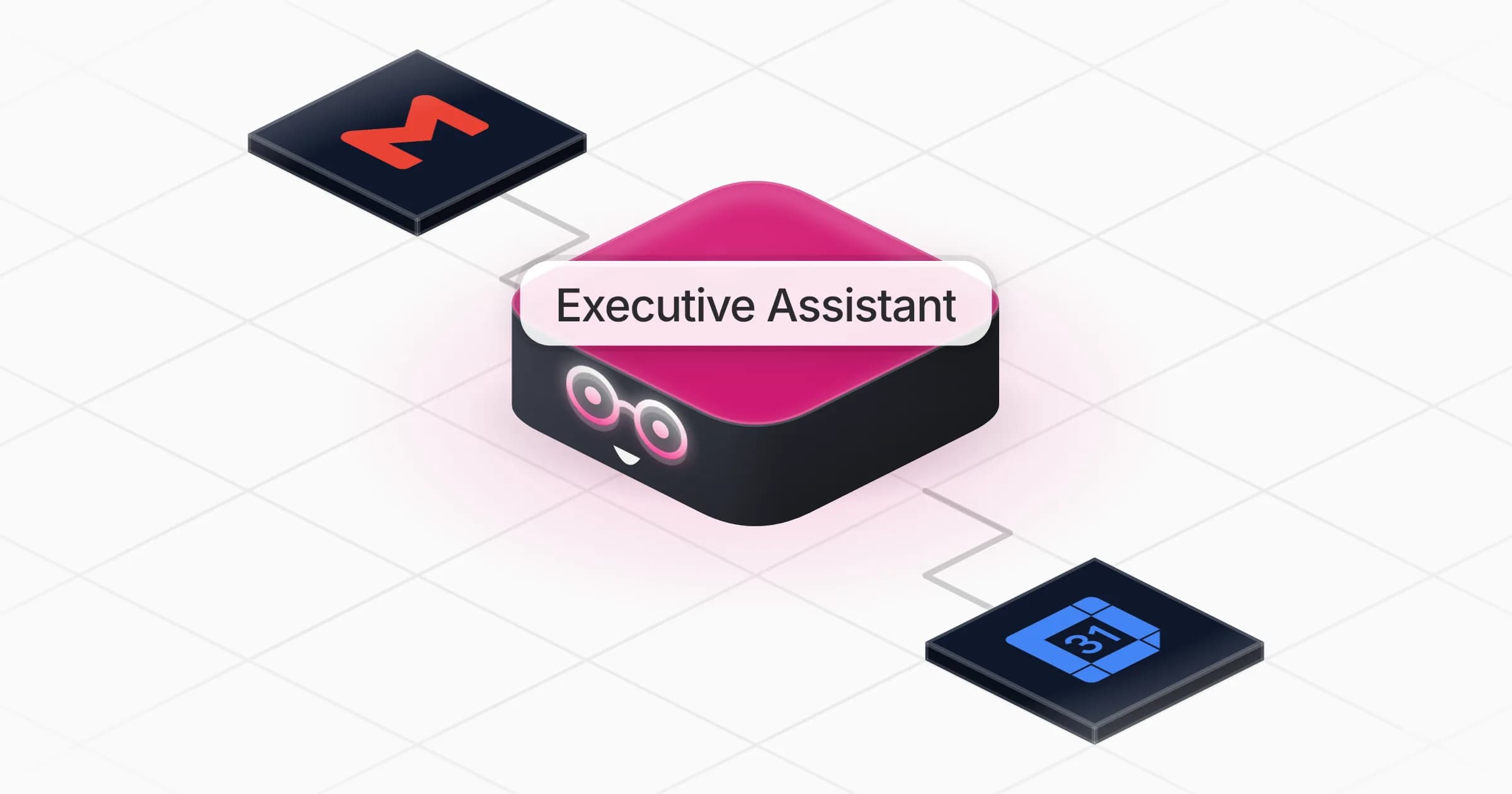
Executive Assistant
Prepare Your Morning Executive Briefing


It takes a few minutes to set up, and the work happens whether or not anyone remembered to open a chat.
Workflow, agent or always-on coworker: which do you need?
Most comparison lists stop at features. The more useful question is build versus run: do you need a tool that builds the automation, or one that operates the work around the clock? Three quick tests:
Two scenarios make the difference concrete.
Weekly lead enrichment. Every Monday, pull new sign-ups, enrich them, write them to a sheet. Fixed steps, no judgement, no risk. A flow builder wins on cost and clarity, and an agent would be overkill.
Inbox triage plus CRM plus a daily report. Every morning, read incoming email, decide what matters, update deals, draft replies and send a summary, with a manager approving any refund. That needs judgement (so not a flow), it needs to run without anyone in a chat (so not a one-off agent conversation), and it needs approvals and logs. That is the job an always-on coworker is built for.
A flowchart does exactly what you drew. A chatbot answers when you ask. An always-on coworker keeps working when nobody is looking, and stops to ask when it should.
This is also where Gartner's warning lands. Projects get canceled when costs drift and risk controls are missing, which is why human-in-the-loop approvals and agent observability matter more than the length of a connector list. If you are comparing full platforms rather than Gumloop swaps, see our guide to choosing an AI agent platform.

How to migrate off Gumloop
Switching is easier when you treat it like a small project rather than a weekend rebuild.
If you are moving an agent to Rerun, the fastest path is to describe the job the way you would brief a new hire. Here is a brief you can adapt:
{
  "coworker_name": "Ops Inbox Coworker",
  "replaces": "Gumloop agent: daily inbox triage and CRM update",
  "schedule": "Every weekday at 07:30, plus whenever a new email arrives in support@",
  "tools": ["Gmail", "HubSpot", "Slack"],
  "steps": [
    "Read new emails since the last run",
    "Classify each one: lead, customer issue, invoice, noise",
    "Update or create the matching HubSpot record",
    "Draft a reply for customer issues"
  ],
  "approval_required_for": ["sending any email to a customer", "refunds", "deleting a CRM record"],
  "report": "Post a 5-line summary of what was done and what is waiting for approval",
  "never": ["send without approval", "change deal amounts"]
}The approval_required_for and never fields are the part most Gumloop setups leave implicit. Writing them down is what turns an agent into something you can leave running.
Our pick by situation
- Tight budget, predictable flows: Make, from $9 a month billed yearly.
- Self-hosting required: n8n Community Edition, or Activepieces if your team is less technical.
- Non-technical team, rare integrations: Zapier.
- Agents grounded in company knowledge: Dust.
- Personal or executive assistant: Lindy.
- Enterprise multi-agent rollout with a vendor team: Relevance AI.
- Work that must run 24/7 with approvals, logs and a flat bill: Rerun.
The bottom line
Gumloop is still a capable platform, and for some teams the right move is to stay and tune the credit settings. But if you left because workflows went "legacy", a flow builder like n8n or Make is the cleaner home. If you want agents with simpler billing, Lindy and Dust are the closest swaps. And if your real need is for the work to keep running every day, with a person approving what matters and a log of everything that happened, that is what Rerun's coworkers are for.
Frequently asked questions
What is the best Gumloop alternative?
It depends on the job. For predictable, step-by-step workflows, n8n and Make are the strongest Gumloop alternatives. For AI agents that make judgement calls, Lindy and Dust are the closest swaps. For work that has to run every day with approvals and logs, an always-on coworker on Rerun is the better fit.
What is the best free Gumloop alternative?
n8n's self-hosted Community Edition is free if you can run it on your own server. Make and Activepieces both have free cloud plans with 1,000 credits a month, and Zapier's free plan includes 100 tasks a month. Lindy gives $50 of credits for 7 days without a card.
Does Gumloop have a free plan?
No. As of October 2026, Gumloop offers a 14-day free trial of its Pro plan. The trial requires a card, can be used once per customer and turns into a paid Pro subscription when it ends unless you cancel.
How much does Gumloop cost per month?
Gumloop Pro starts at $37 a month and includes 20,000 credits a month, where one credit is worth $0.005. Agent chats are billed on model tokens, tool calls and compute minutes, plus an orchestration fee. Unused credits do not roll over, and Enterprise pricing is custom.
What is Gumloop's 8% orchestration fee?
It is a charge for running the agent loop, calculated as 8% of the model, tool call and compute credits a chat uses. If you bring your own model API key, model credits drop to zero but the orchestration fee rises to 16% of what the run would have cost.
Gumloop vs n8n: which is better?
n8n is better for teams that want deterministic workflows, self-hosting and pricing per execution regardless of the number of steps. Gumloop is better for teams that want AI agents with a managed canvas and do not want to host anything. Technical teams usually prefer n8n.
Gumloop vs Zapier: which should I choose?
Choose Zapier if you need the widest app coverage and simple trigger and action automations that a non-technical team can maintain, starting with a free plan of 100 tasks a month. Choose Gumloop if you want AI agents that reason across tools and you accept credit-based billing with an 8% orchestration fee.
Can an AI agent run 24/7 without me watching it?
Yes, if the platform runs it on a schedule or on triggers outside a chat window and gives you a way to step in. On Rerun, coworkers run 24/7 on your workspace's private cloud machine, pause for your approval before sensitive actions and log every step so you can review what happened.
Is Relay.app still a good Gumloop alternative?
No. Relay.app shut down in September 2026 and permanently deleted all accounts, workflows and run history, so it is no longer an option even though some older comparison lists still recommend it.

Clément Janssens