Over 40% of agentic AI projects will be canceled by the end of 2027. That is the Gartner prediction that belongs pinned above every AI roadmap this year. The reasons are boringly consistent: unclear value, rising costs, and inadequate risk controls. Put plainly, teams ship agents they cannot trust, then pull the plug the first time one does something expensive.
Human-in-the-loop is the fix for the trust half of that problem. It is the difference between an AI agent you can put into production and a demo you can only run in a controlled room.
In this guide you will get a plain-English definition, the difference between human in the loop and human on the loop, the exact patterns that make oversight work in production, and how to build agents where the human control layer is native instead of bolted on after the fact.
In a hurry? Build an agent that asks before it acts.

What are human-in-the-loop AI agents?
Human-in-the-loop (HITL) AI agents are autonomous AI systems that pause at critical decision points to request human approval, correction, or input before they act. Instead of running fully unsupervised, the agent escalates high-risk or low-confidence actions to a person, then resumes exactly where it stopped once it gets an answer. You get the speed of automation with human judgment and accountability at the moments that matter.
The important word is before. A real human-in-the-loop agent does not wire the payment and then email you the receipt. It stops, shows you what it wants to do, and waits.
HITL vs traditional automation
This is where the human-in-the-loop meaning gets muddy. A Zapier, Make, or n8n workflow can absolutely include an "approval step." But that step is a static branch that someone wired by hand. The flowchart cannot reason about whether this particular action deserves a human. It pauses at step 7 every single time, or it never pauses at all. There is no judgment in the loop, only a hard-coded gate.
That is the core limitation of human-in-the-loop automation built on rigid flowcharts:
- Chatbots talk and can hand a conversation to a person, but they do not take actions, so their "human handoff" is really just ticket routing. There is no risky action to approve.
- Flowchart automation (Zapier, Make, n8n) can gate a fixed step, but it cannot decide when an action is risky enough to need a human. The condition is static, not situational.
- DIY agent frameworks give you real power, but you build the approval UI, the escalation logic, the audit log, and the permission model yourself, then maintain all of it forever.
The agent's-eye view
The mental model that actually scales is simple: treat the human as a tool the agent can call. When a task is ambiguous or the stakes are high, asking a person is not a failure. It is the smartest next action available.
Autonomy without oversight is a liability, not a feature. The winning pattern is not "most autonomous," it is "the right amount of human control at the right moments."
Human-in-the-loop vs human-on-the-loop vs human-out-of-the-loop
Most confusion around this topic disappears once you see oversight as a spectrum, not a switch. There are three modes, and mature teams use all three depending on the risk of the action.
| Mode | The human is | Agent behavior | Best for |
|---|---|---|---|
| Human in the loop | The gatekeeper | Pauses and waits for approval before acting | High-stakes, irreversible actions (payments, external emails, deletions) |
| Human on the loop | The supervisor | Acts, but a human monitors and can veto or intervene | Medium-risk, reversible actions where speed matters |
| Human out of the loop | Absent | Acts fully autonomously, reviewed only after the fact | Low-risk, high-volume, easily reversible tasks |
The question "is human-in-the-loop the same as agentic AI?" comes up a lot. It is not. Agentic AI describes the capability to plan and take actions on its own. Human-in-the-loop describes how much control you keep over those actions. You want agentic AI with the loop tuned to the risk, not one or the other. Full autonomy sits at the far end of that spectrum, which we cover in our guide to autonomous AI agents.
Why AI agents need a human in the loop
Confident, and quietly wrong
The failure mode that sinks agent projects is not the obvious crash. It is the confident, plausible, wrong action taken at scale. An agent that refunds the wrong customer, emails the wrong contract, or updates the wrong record will do it politely and log a clean success. Multiply that by thousands of runs and you have a mess no dashboard flagged, because nothing errored.
A human in the loop turns those silent failures into a two-second approval instead of a post-mortem.
Compliance and the audit trail
In finance, healthcare, and legal work, "the AI did it" is not an answer a regulator accepts. You need to show who approved what and when. Human-in-the-loop is the mechanism that produces that record. Every pause, every approval, and every decline becomes a line in an audit trail you can defend later.
Trust is the real adoption blocker
Go back to that Gartner number. Agent projects are not dying because the models are too weak. They are dying because organizations cannot get comfortable handing real authority to a system they cannot supervise. Oversight is not a tax on autonomy. It is the thing that lets you turn autonomy on at all.

The core patterns of production human-in-the-loop
This is where most guides stop at theory. Here are the five patterns that separate a production HITL agent from a pause button.
1. Approval gates
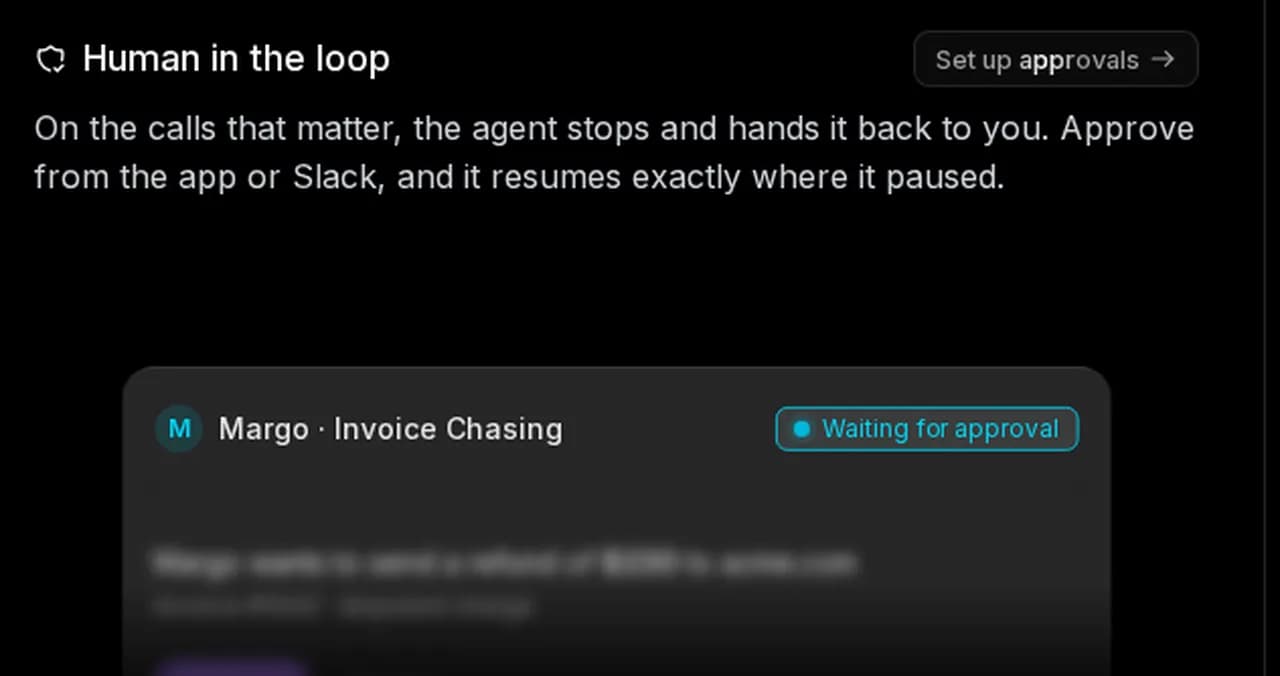
An approval gate stops the agent before a specific class of action executes: sending money, emailing a customer, deleting data, publishing content. The agent presents the exact action and its context, and a human approves or declines. Approve from the app or from Slack, and the agent resumes precisely where it paused.
2. Confidence thresholds
Approving everything is how you train your team to stop reading the approvals. The fix is a confidence threshold: auto-approve actions the agent is highly confident about, and escalate only the ones below the line. A refund under $50 with a clean history clears automatically. A disputed $2,000 charge stops and waits. You spend human attention where it changes the outcome.
3. Escalation and routing
Not every approval should go to the same person. Escalation routes the decision to the right human with the right context: finance approvals to finance, a legal edge case to legal. Good escalation includes everything the reviewer needs to decide in seconds, not a cryptic "approve Y/N."
4. Least-privilege by design
Human-in-the-loop controls what gets approved. Least-privilege controls what the agent can touch at all. An agent scoped to draft emails cannot suddenly issue refunds, no matter what a prompt injection tells it to do. The two work together, and we go deep on the security side in our guide to AI agent security.

AI Agent Security: Risks, Best Practices & Guardrails
AI agents don't just answer, they act. Here are the 8 biggest AI agent security risks, the guardrails that contain them, and how to build an agent that is secure by design.
5. Observability and audit logs
Approval is one layer. Seeing the full trace of what the agent did, step by step, is another. You want live logs of every action, tool call, and handoff, plus a permanent record for review. Approval logs tell you what a human signed off on. Full-trace observability, which we cover in AI agent observability, tells you everything else the agent did around it.
Before you call an agent production-ready, it should pass this checklist:
Real-world examples of HITL AI agents
Concrete beats abstract. Here is where the loop earns its keep:
- Finance: an invoice-chasing agent drafts a dunning email and proposes a refund, but any refund over a set amount stops for a human. Nothing leaves the building without sign-off.
- Healthcare: a triage agent summarizes intake and suggests a priority, then a clinician confirms before anything reaches a patient.
- Customer operations: a support agent resolves routine tickets on its own but escalates refunds, cancellations, and angry-customer cases to a person.
- Software: a deployment agent prepares a release and waits for a human to approve the push to production.
- Procurement: an agent fills the cart and drafts the purchase order, but a manager approves before money moves.
The pattern is always the same. The agent does the tedious 90%, and a human owns the 10% that carries real consequences.
How to implement human-in-the-loop: two paths
There are two honest ways to add human-in-the-loop AI to your agents.
The DIY framework path
If you have engineers, engineering-first frameworks expose the raw building blocks. LangGraph human-in-the-loop support, for example, is built on interrupts and checkpoints, and cloud providers document patterns like human-in-the-loop confirmation on Amazon Bedrock Agents. These give you genuine control. The catch is everything around the primitive: you build the approval interface, the Slack integration, the escalation routing, the audit store, and the permission model, then you own that surface area forever.
 Implement human-in-the-loop confirmation with Amazon Bedrock Agents | Amazon Web ServicesIn this post, we focus specifically on enabling end-users to approve actions and provide feedback using built-in Amazon Bedrock Agents features, specifically HITL patterns for providing safe and effective agent operations. We explore the patterns available using a Human Resources (HR) agent example that helps employees requesting time off.
 Amazon Web Services
The platform path: native vs bolted on
The alternative is a platform where the loop ships in the box. This is where Rerun sits. You build an agent by describing the job, connect your tools, and human-in-the-loop is native: the agent stops on the actions that matter, asks, and resumes exactly where it paused once you approve from the app or Slack.
Because Rerun is not a flowchart tool, the loop is a decision the agent makes, not a branch you wire. Because it is not a chatbot, there is a real action on the other side of the approval. Because it is not a DIY framework, you do not build or babysit the approval UI, the audit log, or the permission model. And because nothing is a black box, every run shows its work live on a dashboard anyone can read.
Here is how the approaches actually compare:
| Capability | Rerun | Flowchart automation (Zapier/Make/n8n) | Chatbots | DIY frameworks |
|---|---|---|---|---|
| Situational approval (agent decides when a human is needed) | Yes | No | No | You build it |
| Confidence thresholds | Yes | No | No | You build it |
| Approve from app or Slack, resume in place | Yes | Limited | No | You build it |
| Least-privilege by design | Yes | Partial | Yes | You build it |
| Live observability and audit log | Yes | No | No | You build it |
| Takes real actions, not just chat | Yes | Yes | No | Yes |
Human-in-the-loop and AI governance
Human-in-the-loop is not just an engineering nicety. It is how you operationalize the governance frameworks auditors and regulators care about. The NIST AI Risk Management Framework treats human oversight as a core control, and Article 14 of the EU AI Act requires that high-risk AI systems be designed so humans can effectively oversee them.
Read those requirements closely and they describe exactly what a HITL agent does: a person can understand what the system is about to do, intervene, and stop it. Approval gates, escalation, and audit logs are not compliance theater. They are the concrete mechanism that turns "human oversight" from a policy sentence into a working control.
Common pitfalls, and how to avoid them
Human-in-the-loop done badly is almost as risky as no loop at all. Watch for these:
- Approval fatigue. Gate everything and reviewers rubber-stamp on autopilot. Use confidence thresholds so only consequential actions stop.
- Gating the wrong steps. Approving a draft while auto-executing the send is backwards. Gate the irreversible action, not the harmless one before it.
- No confidence tiers. A flat "approve everything" wastes human attention and buries the one decision that mattered.
- A missing audit trail. If you cannot show who approved what, you have oversight in theory but not in practice.
- A dead-end handoff. "Escalate to a human" that lands in an unmonitored inbox is not a loop, it is a black hole.
Build agents you can actually deploy
The teams that win with agents in 2026 are not the ones chasing maximum autonomy. They are the ones who put the right amount of human control at the right moments, then let the agent run. Approval gates, confidence thresholds, escalation, least privilege, and observability are what move an agent from a risky demo to something you can trust with real work.
You can wire all of that yourself, or you can start with a platform where it is already built in. Human in the loop AI agents are how you get there: agents that ask before they act and show you every step live. That is exactly what Rerun is built for.
Frequently asked questions
What is a human-in-the-loop AI agent?
A human-in-the-loop (HITL) AI agent is an autonomous AI system that pauses at critical decision points to request human approval, correction, or input before it acts. It escalates high-risk or low-confidence actions to a person, then resumes exactly where it paused once it gets an answer, combining the speed of automation with human judgment and accountability.
What is the difference between human-in-the-loop and human-on-the-loop?
Human-in-the-loop means the agent pauses and waits for approval before acting, so the human is a gatekeeper on each decision. Human-on-the-loop means the agent acts on its own while a human monitors and can veto or intervene, so the human is a supervisor rather than a gate. In-the-loop suits high-stakes irreversible actions; on-the-loop suits medium-risk reversible actions where speed matters.
Is human-in-the-loop the same as agentic AI?
No. Agentic AI describes the capability to plan and take actions autonomously. Human-in-the-loop describes how much control you keep over those actions. You want agentic AI with the loop tuned to the risk of each action, not one instead of the other.
When should an AI agent require human approval?
Gate the actions that are high-stakes or hard to reverse: sending money, emailing customers, deleting data, publishing content, or anything below a set confidence threshold. Low-risk, easily reversible, high-volume actions can run autonomously and be reviewed after the fact. Confidence thresholds let the agent auto-clear the safe actions and escalate only the ones that carry real consequences.
How do you add human-in-the-loop to an AI agent?
There are two paths. You can build it yourself with frameworks like LangGraph that expose interrupt and checkpoint primitives, then add your own approval UI, escalation routing, audit log, and permission model. Or you can use a platform where human-in-the-loop is native, so the agent stops on sensitive actions, asks for approval from the app or Slack, and resumes where it paused, without you building the surrounding infrastructure.
Does human-in-the-loop slow agents down?
Only if you gate everything. With confidence thresholds, the agent auto-approves routine actions and pauses only on the consequential ones, so most work runs at full speed and human attention is spent where it changes the outcome. The result is faster deployment overall, because you can actually trust the agent in production instead of keeping it in a sandbox.

Clément Janssens