LangChain vs LangGraph: Which AI Agent Framework Should You Use in 2026?
LangChain vs LangGraph, explained by engineers: they're from the same company. Learn which layer your AI agent needs in 2026, when to use both, and how to run either safely in production.
LangChain and LangGraph together clear more than 90 million downloads a month, and they already run agents in production at Uber, LinkedIn, Klarna and JP Morgan, according to the official LangChain 1.0 announcement from October 2025. Yet the single most common question developers still ask about them is based on a false premise: "LangChain or LangGraph, which one wins?"
They are not rivals. They are two layers from the same company, and for most production agents the honest answer is that you use both.
This guide gives you the technically correct comparison: what each one actually is, how they fit together, when to reach for which, and the part every framework debate skips, what it takes to run either one safely once real users and real money are involved.
In a hurry? Spin up an agent you can watch work, free.
LangChain vs LangGraph at a glance
Here is the short version before we go deep. Both are open-source frameworks built by LangChain Inc. LangChain is the high-level library for building an agent fast. LangGraph is the lower-level runtime for agents that need durable state, loops, and human oversight.
| Dimension | LangChain | LangGraph |
|---|---|---|
| What it is | High-level agent framework | Low-level orchestration framework and runtime |
| Primary job | Ship an agent fast | Control complex, long-running agents |
| Abstraction level | High (create_agent, middleware) | Low (nodes, edges, state) |
| Control flow | Standard model → tools loop | Custom graphs with cycles and branches |
| State and memory | Handled for you | First-class durable state and checkpointing |
| Human-in-the-loop | Built-in middleware | First-class interrupts |
| Best for | Fast starts, standard patterns | Custom, stateful, production workflows |
| Learning curve | Gentle | Steeper |
| Relationship | Runs on LangGraph | Powers LangChain agents |
The two-sentence takeaway: reach for LangChain when your agent fits the standard model-calls-tools loop and you want to ship this week. Drop down to LangGraph when the workflow loops, branches, remembers across sessions, or pauses for a human.
Both are proven and widely adopted. As of August 2026, the LangChain repo carries about 145,200 GitHub stars to the LangGraph repo's 40,600, and both ship under the permissive MIT license. The star gap mostly reflects age, LangChain is older, not that one is winning a fight, since they are part of the same stack.

Are LangChain and LangGraph the same thing?
This is where most comparison articles get it wrong, so let us settle it first.
Same company, different jobs
Both LangChain and LangGraph are built by LangChain Inc., the company co-founded by Harrison Chase. LangChain came first, as a library for wiring language models to prompts, tools, and data. LangGraph arrived later, in 2023, precisely because linear chains could not handle agents that loop, hold state, and pause for a human. It was built to fill a gap in the same toolkit, not to compete with it.
So no, LangGraph is not owned by a separate company, and it is not a fork or a replacement. It is the orchestration layer of the same stack.
How they fit together
In the 1.0 releases from October 2025, the relationship became explicit in the code itself. LangChain's headline abstraction, create_agent, runs on the LangGraph runtime under the hood. As LangChain's own docs put it, you can start high level and drop down to LangGraph for custom control without rewriting your application.
"LangChain agents are built on LangGraph, so you're not locked in. Start with LangChain's high-level APIs and seamlessly drop down to LangGraph when you need more control."
That is the mental model to keep: it is a stack, not a versus. LangChain is the fast on-ramp; LangGraph is the engine it runs on and the escape hatch when you outgrow the defaults.
Where LangSmith and LangGraph Platform fit
Two more names show up in the same searches, so let us place them quickly. LangSmith is the observability and evaluation product: tracing, debugging, and scoring agent runs. It is not a framework you build on, it is the lens you watch runs through. LangGraph Platform is the deployment and runtime service for shipping LangGraph agents. And LangFlow is a separate visual, drag-and-drop builder. Different layers, different jobs. Keep them out of the "which framework" question.
What is LangChain, and when it is the right choice
LangChain is the component and abstraction library. It gives you standardized model wrappers, prompt tooling, retrievers, memory, a huge integration catalogue, and, since 1.0, the create_agent abstraction with composable middleware.
Getting an agent running takes a handful of lines:
from langchain.agents import create_agent

weather_agent = create_agent(
    model="openai:gpt-5",
    tools=[get_weather],
    system_prompt="Help the user by fetching the weather in their city.",
)
What LangChain is great at
- Speed to first agent. The standard ReAct-style loop, model to tools to answer, works out of the box.
- Retrieval and RAG pipelines. Its retrievers and integrations make document-grounded apps quick to assemble.
- Provider freedom. Swap OpenAI for Anthropic for Gemini without rewriting your app, thanks to standardized model abstractions and 1000+ integrations.
- Customization without a rewrite. Middleware hooks let you add approvals, summarization, or PII redaction to the agent loop.
Where LangChain hits a wall
When your workflow stops looking like a straight line, the high-level abstraction starts to fight you. Deeply cyclic logic, long-running processes that must survive a server restart, fine-grained control over every branch: at that point you want the layer underneath. That layer is LangGraph.
What is LangGraph, and when it is the right choice
LangGraph models an agent as a graph: nodes are steps, edges are transitions, and a shared state object flows through the whole thing. Because graphs can loop and branch, it handles the workflows a linear chain cannot.
What LangGraph is great at
- Durable state and persistence. Execution state is checkpointed automatically, so a workflow interrupted mid-run picks up exactly where it left off. This is what enables multi-day approval processes and background jobs.
- Cycles and branches. Conditional edges and loops let you build reasoning that revisits steps, not just marches forward.
- Multi-agent systems. Single, multi-agent, and hierarchical control flows all live in one framework.
- Native human-in-the-loop. Pausing for human review, edit, or approval is a first-class API, not a bolt-on.
- Streaming. Token-by-token streaming shows the agent's reasoning in real time.
The trade-off
More control means more to write. LangGraph is a lower-level framework with a steeper learning curve, and you assemble more of the plumbing yourself. That is the price of precision, and for production systems that handle sensitive actions, it is usually worth paying.
What practitioners actually say
Search "langchain vs langgraph reddit" and a consistent theme comes back from developers who have shipped both. The common advice: prototype in LangChain because the defaults get you moving, then move the parts that matter to LangGraph once you hit real state or real branching. The frustration people report is almost never "I picked the wrong framework." It is "the framework got my agent working in a demo, and then I had no clear view of what it was doing in production." That gap is not a framework flaw. It is a missing layer, and it is the theme of the rest of this guide.

The differences that actually matter
Strip away the marketing and five dimensions decide the choice.
Abstraction level
LangChain hands you prebuilt patterns. LangGraph hands you primitives. High-level speed versus low-level control.
State and memory
LangChain manages state for the common case. LangGraph makes durable, checkpointed state a first-class citizen, which is what long-running and resumable agents need.
Control flow
LangChain runs the standard model-to-tools loop. LangGraph lets you draw arbitrary graphs with cycles, branches, and conditional routing.
Human-in-the-loop
LangChain offers human-in-the-loop as built-in middleware. LangGraph offers it as native interrupts. Either way, note this well, because pausing for a human is exactly where framework code ends and an operations problem begins. More on that below.
Learning curve
LangChain gets you shipping in an afternoon. LangGraph asks for more upfront investment and repays it in control.
Do you need to learn LangChain before LangGraph?
No. There is no hard prerequisite, and you can use LangGraph on its own without touching LangChain's higher-level abstractions.
That said, understanding LangChain's component model helps, because LangGraph nodes very often wrap LangChain components (a model call, a retriever, a tool) as the work inside each step. Learn the pieces, and the graph that orchestrates them makes more sense. Most teams start with LangChain's create_agent, then drop into LangGraph the first time they need control the abstraction will not give them.
When to use which: a decision framework
Use this checklist to place your own use case.
The pattern most production teams land on: start on LangChain for speed, drop to LangGraph where you need control, and treat the two as one stack. For a broader look at the field, our guide to AI agent frameworks maps how these fit alongside the other options, and our LangGraph vs CrewAI comparison covers the multi-agent angle.
The part every framework comparison skips: running agents in production
Here is what the "LangChain or LangGraph" debate misses entirely. Choosing a framework is a build-time decision. The hard problems show up at run time.
The moment an agent is live and taking real actions, a different set of questions appears, and none of them is a framework question:
- Who approved this action, and can you prove it later?
- Can a non-engineer see what the agent did, and why, without reading logs?
- Can a human step in before the agent does something irreversible, like sending a payment or emailing a customer?
- How do you govern a fleet of agents across a team, not just one script on one laptop?
LangGraph gives you the primitives for human-in-the-loop. It does not give you the governance layer: the approval workflows, the audit trail, the readable live view that an organization actually needs to trust an agent in production. That is a different layer of the stack, and it is where human-in-the-loop done right and real agent observability live.
This is the layer Rerun sits in.
Rerun is not a fourth framework
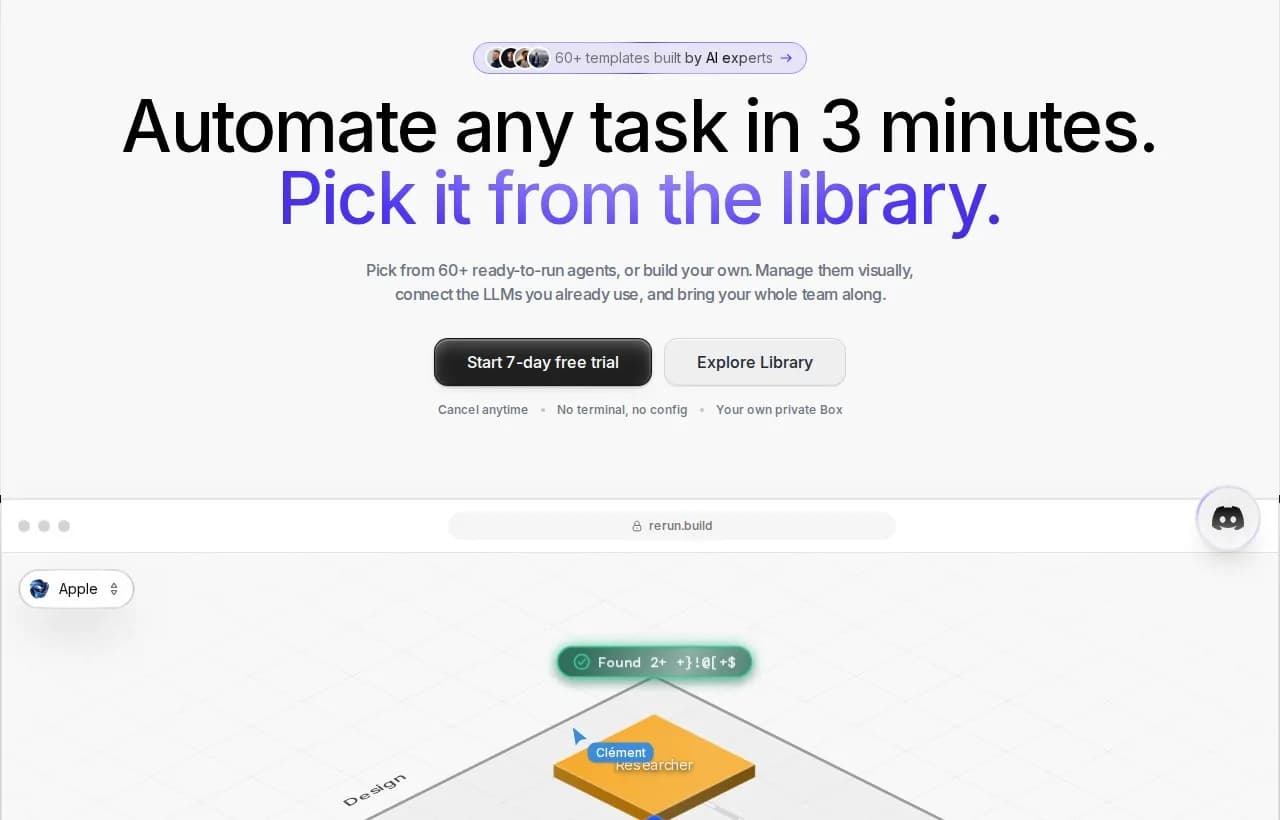
Let us be precise, because this is the whole point. Rerun is not a fourth framework to choose between LangChain, LangGraph, and CrewAI. It is the operations layer that makes whichever framework you picked safe to run in production. You build the agent in the framework you like; you run, watch, and govern it in Rerun.
And to be equally precise about what Rerun is not:
- It is not Zapier, Make, or n8n. Those connect apps with rigid trigger-then-action rules. They cannot reason, loop, or hold agent state. Rerun governs reasoning agents, not deterministic app-to-app plumbing.
- It is not a chatbot. A chatbot answers messages. Rerun runs agents that take actions, with approvals and a full audit trail behind each one.
- It is not a flowchart to wire and maintain. The value is not drawing the logic on a canvas of boxes and arrows. It is governing what real agents do at run time: who approved an action, what the agent did and why, and where a human can intervene.
Before a payment goes out or an email reaches a client, the agent stops and asks. You approve from the app or from Slack, and it resumes exactly where it paused. Every action is visible on a live dashboard a stakeholder can actually read. That is the difference between an agent that demos well and one you can put in front of customers.
LangChain vs LangGraph vs the wider field
To keep the map clear, here is where the neighbouring tools sit. Each solves a different layer, which is exactly why "versus" is the wrong frame.
| Tool | What layer it is | One-line role |
|---|---|---|
| LangChain | Framework | Build agents fast on proven patterns |
| LangGraph | Framework and runtime | Control complex, stateful agents |
| LangSmith | Observability | Trace, debug, and evaluate runs |
| LangFlow | Visual builder | Drag-and-drop agent assembly |
| CrewAI | Framework | Role-based multi-agent orchestration |
| LlamaIndex | Data framework | Retrieval and indexing over your data |
| Rerun | Operations | Run, watch, and govern any of the above |
If you are weighing the multi-agent options specifically, the LangGraph vs CrewAI breakdown goes deeper, and our AI agent orchestration guide covers coordinating several agents at once.
 LangChain and LangGraph Agent Frameworks Reach v1.0 MilestonesLangChain 1.0 and LangGraph 1.0 are here. Build production-ready AI agents faster with standardized tools, middleware customization, and durable state.
Side-by-side scorecard
One more table, this time with the verdict per use case, so you can point at your row and move on.
| Use case | LangChain | LangGraph | Add Rerun on top |
|---|---|---|---|
| Quick RAG prototype | Yes | Partial | Partial |
| Standard model-tools agent | Yes | Yes | Yes |
| Long-running, resumable workflow | No | Yes | Yes |
| Multi-agent system | Partial | Yes | Yes |
| Sensitive actions, human approval | Partial | Yes | Yes |
| Non-engineers need to watch it | No | No | Yes |
| Audit trail and governance | No | Partial | Yes |
The pattern is hard to miss. Frameworks win the build. The operations layer wins the last mile, the one that decides whether an agent ever ships.
The 2026 answer
Stop asking which framework wins. LangChain and LangGraph are two layers from the same company, and the real decision is which layer your use case needs: LangChain to ship fast on standard patterns, LangGraph for stateful and controllable workflows, and, for anything real, both.
Then plan for the layer no framework covers. Once an agent takes actions that matter, you need to see what it does, approve what is sensitive, and keep a record. That is not a framework feature. It is the operations layer, and it is worth designing in from day one rather than bolting on after the first incident.
Build the agent in LangChain or LangGraph. Run it somewhere you can actually watch it work.
If you are moving from prototype to production, our guides on how to deploy AI agents and AI agent architecture are the natural next reads.
Frequently asked questions
Does LangGraph replace LangChain?
No. They are two layers from the same company, LangChain Inc. LangChain is the high-level framework for building agents fast, and LangGraph is the lower-level runtime underneath it. LangChain's create_agent actually runs on LangGraph, so they work together rather than replacing each other.
Is LangGraph owned by LangChain?
Yes. Both LangChain and LangGraph are open-source frameworks built by LangChain Inc., the company co-founded by Harrison Chase. LangGraph is the orchestration layer of the same stack, not a competing product from a different company.
Do I need to learn LangChain before LangGraph?
No, there is no hard prerequisite and you can use LangGraph on its own. But understanding LangChain's component model helps, because LangGraph nodes often wrap LangChain components like model calls and retrievers. Most teams start with LangChain, then drop into LangGraph when they need more control.
What are LangChain and LangGraph used for?
LangChain is used to build AI agents quickly using standard patterns, model integrations, and retrieval pipelines. LangGraph is used for complex, stateful, long-running agents that need loops, branching, durable memory, and native human-in-the-loop control. Many production systems use both.
Is LangChain or LangGraph better for production?
LangGraph is built for production-grade, long-running agents thanks to durable state, checkpointing, and first-class human-in-the-loop. LangChain agents run on LangGraph, so you can ship fast with LangChain and drop to LangGraph for control. Either way, production also needs a governance and observability layer on top of the framework.
Can you use LangChain and LangGraph together?
Yes, and most real products do. LangChain's create_agent is built on the LangGraph runtime, and you can use agents created with create_agent inside custom LangGraph workflows. Start with LangChain's high-level APIs and drop down to LangGraph when you need fine-grained control.
Are LangChain and LangGraph free to use?
Yes. Both LangChain and LangGraph are open-source and MIT-licensed, so the frameworks themselves are free. LangChain Inc. also sells paid products around them, like LangSmith for observability and LangGraph Platform for deployment, but you can build and run agents on the open-source libraries without paying for those.

Written by
Clément Janssens