Building an AI agent is the easy 20%. Deploying one you can actually trust in production is the other 80%, and it is not a coding problem.
Any team can spin up an impressive agent demo in an afternoon. Then it stalls for weeks, because "deploy" quietly turns into security review, access control, monitoring, cost guardrails, and a human kill switch. The gap between a demo and a production agent is not model quality. It is governance. Gartner predicts that over 40% of agentic AI projects will be canceled by the end of 2027, driven by escalating costs, unclear value, and inadequate risk controls. Most of those failures happen at deployment, not in the notebook.
This guide walks the full path to deploy AI agents in production, step by step, plus the four things that separate a fragile demo from an agent you can leave running: human-in-the-loop approvals, observability, least-privilege access, and secure hosting.
The short version: to deploy an AI agent, scope its task and permissions, wrap it with the model and tools it needs, give it least-privilege access, gate high-stakes actions behind human approval, choose where it runs (serverless, containers, Kubernetes, or a private cloud), instrument observability, then roll it out gradually with a rollback path. The rest of this guide expands each step.
In a hurry? Deploy your first agent free, with approvals and a live dashboard already wired in.
What "deploying an AI agent" actually means
Deploying a normal web app is a solved problem. The code is deterministic: the same input gives the same output, and you know every path it can take. Deploying an AI agent is different, because an agent makes decisions. It reads a situation, picks a tool, and takes an action, and you cannot pre-wire every branch it might choose.
That is also what separates deploying an agent from deploying a chatbot. A chatbot answers. An agent acts. When something that sends emails, moves money, or edits a database is running on its own, the stakes of "deploy" jump by an order of magnitude. The difference between an AI agent and a chatbot is the whole reason production readiness is harder here.
Demo vs. production: the readiness gap
In a demo, the agent runs once, you are watching, and nothing it touches is real. In production, it runs unattended against live systems. That is where the failure modes show up: hallucinated tool calls, runaway loops that burn tokens, cost blowups, and access to data it never should have reached.
A demo proves the agent can do the task. Production proves it can do the task safely, repeatedly, and visibly, when no one is watching.
Getting there is less about a better prompt and more about the operational scaffolding around the agent. That scaffolding is the actual work.

Before you deploy: 5 production-readiness prerequisites
Do not push an agent live until these five are true. This is the checklist that catches most of the problems before they reach a real system.
If you cannot check all five, you are not ready to deploy, you are ready to keep testing. The traits that make an agent trustworthy in production are the same ones that make autonomous AI agents work at all.
How to deploy an AI agent, step by step
There are two honest paths to production, and most guides only tell you about the hard one. Here is the full picture, then the recommended route in depth.
Step 1: Choose your deployment approach
Almost every "how to deploy AI agents" tutorial online points you at the same stack: wrap the agent in a framework like LangGraph, containerize it with Docker, and push it to Cloud Run or Kubernetes. That works. It is also where the real cost hides, because now you are hand-building auth, secrets, observability, approval gates, rollback, and scaling before you ship a single safe action.
The honest fork looks like this:
| Capability | DIY code (LangGraph, Docker, Kubernetes) | Workflow tools (Zapier, Make, n8n) | Agent platform (Rerun) |
|---|---|---|---|
| Handles non-deterministic decisions | if you build it | fixed flowcharts | Yes |
| Human-in-the-loop approvals | build it yourself | manual steps only | built in |
| Observability and tracing | wire up your own | limited | built in |
| Least-privilege access control | build it yourself | broad API tokens | built in |
| Private cloud and data residency | configure infra | SaaS only | built in |
| Time to safe production | Weeks to months | Fast, but not agentic | Fast and governed |
The flowchart tools deserve a specific callout. Zapier, Make, and n8n are excellent at deterministic automation, but they are not agents. They run a fixed sequence you drew in advance. An agent decides what to do next, which is the entire point, and no amount of wiring turns a static flowchart into one. If your problem fits a flowchart, use a flowchart. If it needs judgment, you need an agent, and that changes how you deploy.
Step 2: Wrap and configure the agent
Whichever path you pick, the agent itself needs the same setup: an entry point that receives the trigger, a way to manage state and memory across steps, the model and tools it is allowed to use, and clear stop conditions so it cannot loop forever. Define the goal tightly. A vague goal is the single most common reason agents misbehave in production.
Here is the kind of brief that keeps an agent scoped and safe:
{ "goal": "Chase overdue invoices and recover payment", "inputs": ["Stripe invoices past due", "customer contact"], "allowed_tools": ["stripe.read", "email.send"], "approval_required": ["issue_refund", "write_off_debt"], "stop_conditions": ["invoice paid", "customer disputes", "3 reminders sent"], "never": ["change invoice amount", "delete customer record"] }Notice what is in there: an explicit allow-list of tools, a list of actions that require human approval, and a hard "never" list. That structure is what makes the next three steps enforceable.
Step 3: Set least-privilege access
Give the agent the minimum access it needs, and nothing more. Read-only by default. Grant write or action scopes explicitly, per tool, and scope every credential so the agent physically cannot touch data outside its job. An invoice-chasing agent needs to read Stripe and send email. It does not need admin on your CRM, and it should not have it.
# Least-privilege scope for an invoice agent
stripe:
  invoices: read
  refunds: require_approval   # never auto-granted
gmail:
  send: allowed
  scope: billing@company.com  # not the full inbox
crm:
  access: none                # no reason to touch it
Over-permissioning is the most common and most dangerous deployment mistake. If you only harden one thing before going live, harden this. Our deep dive on AI agent security covers the threat model in full.

Step 4: Add human-in-the-loop approvals
For any action that is irreversible or high-stakes, sending money, deleting records, emailing a client, writing to an external system, the agent should stop and hand the decision back to a person. This is not a limitation. It is what makes an autonomous agent deployable at all.
A good approval gate works like this: the agent does all the reasoning and preparation, then pauses at the sensitive step and asks. A human approves or declines, from the app or from Slack, and the agent resumes exactly where it paused. As trust builds, you phase gates out for the actions that have proven safe and keep them on the ones that matter. This is the core of practical AI agent orchestration: the agent runs the work, and humans stay on the decisions that carry real consequences.
Step 5: Choose where to deploy the agent
Where the agent lives determines both how it scales and who can see your data. There are four common places to deploy AI agents, and the right one depends on your traffic and your compliance needs.
| Hosting option | Best for | Trade-off |
|---|---|---|
| Serverless functions | Bursty, event-driven agents | Cold starts, timeouts hurt long-running reasoning |
| Containers (Docker) | Steady workloads, portability | You manage the image, scaling, and secrets |
| Kubernetes | High scale, multi-agent fleets | Powerful but heavy, you own the whole cluster |
| Dedicated private cloud | Regulated data, isolation | Less to tune, but usually a managed platform |
If you are deploying AI agents on Kubernetes, you get real scaling and isolation, which is why enterprise guides reach for it, but you also own the cluster, the Helm charts, and every guardrail on top. Serverless is cheaper to start but its timeouts fight long agent runs. For anything touching customer data, treat isolation and data residency as the default, not an upgrade you bolt on later. An agent running on shared infrastructure with broad tokens is a compliance problem waiting to happen. An agent running in its own isolated environment, with its own dedicated machine, is one you can put in front of an auditor.
Step 6: Instrument observability before go-live
You cannot govern what you cannot see. Before the agent goes live, wire up logging of every action, tracing of its decision path, token and cost tracking, and alerting on anomalies like sudden loops or spend spikes. The teams that succeed with agents in production are the ones who can answer "what did it do, and why" in seconds. Our guide to AI agent observability breaks down exactly what to track.
Step 7: Test, roll out gradually, and plan rollback
Do not flip the switch for every case at once. Start with a shadow or canary run where the agent proposes actions but a human confirms them. Version your agents so you can compare behavior across changes, and keep a rollback path so a bad update is a one-click revert, not an incident. Deploy an agent the way you would deploy any production code: gradually, observably, and reversibly.
Deploying with a no-code platform: the fast, governed path
Look back at Steps 3 through 7. On the DIY path, each one is a project: build the permission system, wire the tracing, code the approval queue, configure the private infra, set up versioning. That is weeks of glue code before your agent safely does anything.
A purpose-built platform collapses that work into configuration. Rerun is the platform that lets you build an agent in minutes, connect your tools, and then watch the work happen live on a dashboard anyone on your team can read. The four pillars are not features you assemble, they are defaults you get on day one.
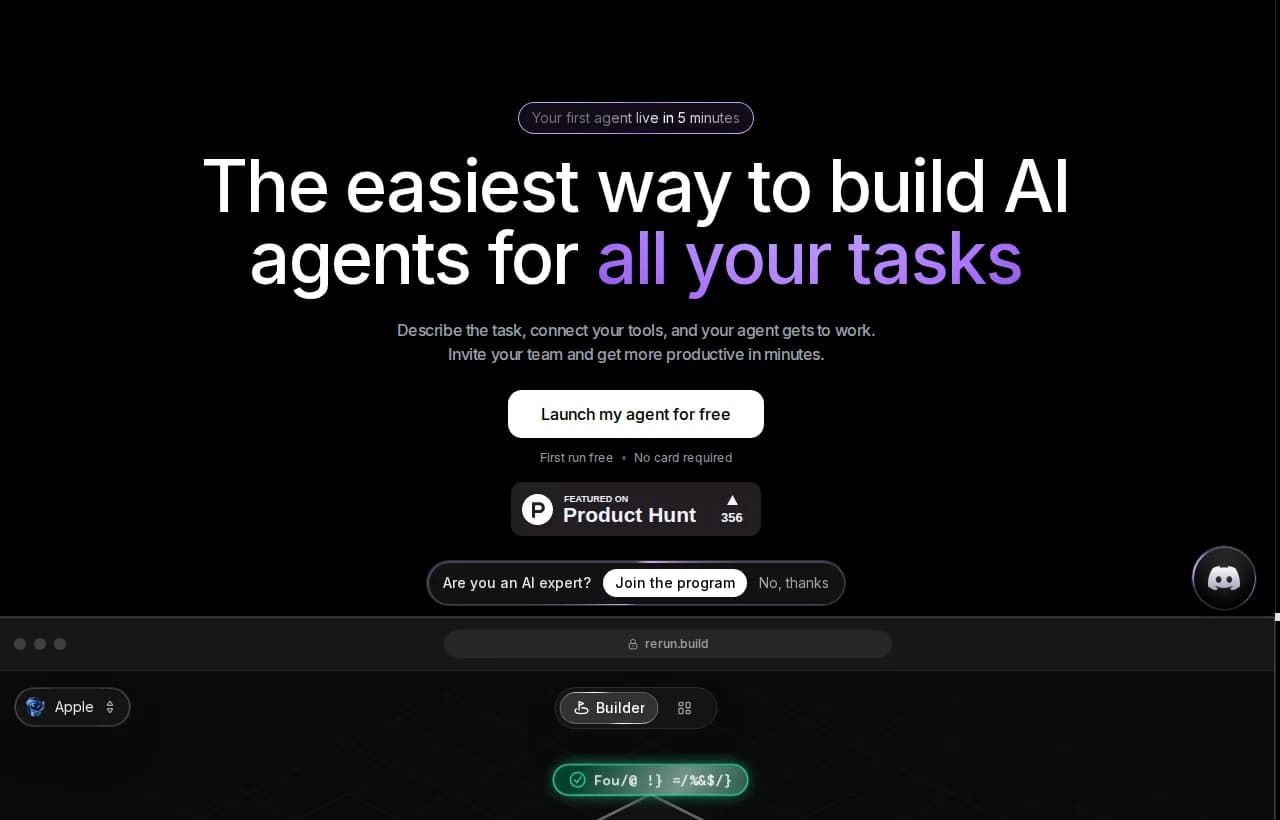
Here is what maps to each deployment step:
- Least privilege (Step 3): agents are built from templates that define exactly which tools they can use, so access is scoped by design, not by hand.
- Approvals (Step 4): the agent stops before anything sensitive and waits for you. Approve from the app or Slack, and it resumes where it paused.
- Hosting (Step 5): every workspace gets its own dedicated server in the cloud, a private, isolated machine that runs only your agents.
- Observability (Step 6): live dashboards, logs, and metrics show every run, token, and handoff as it happens. Nothing is a black box.
It is worth being clear about what Rerun is not. It is not a chatbot, it does the work instead of just talking about it. It is not a flowchart tool like Zapier or Make, there is nothing to wire and maintain. And it is not a DIY framework that needs a VPS and API keys scattered everywhere. It is an autonomous AI workforce you can actually watch. If you are weighing your options, our roundup of the best no-code AI agent builder puts the category in context.
Common AI agent deployment mistakes
Most production incidents trace back to the same short list. Avoid these and you have avoided the majority of the pain.
- Over-permissioning. Broad tokens and admin access "to be safe." This is the opposite of safe.
- No cost guardrails. An agent in a loop can burn a startling amount of tokens overnight. Cap it.
- No human gate on irreversible actions. Refunds, deletes, and outbound emails need a person in the loop until they are proven.
- Deploying without evaluation. "It worked in the demo" is not a test. Run it against real cases first.
- No observability. If you cannot see what the agent did, you cannot fix it, and you cannot trust it.
- Treating an agent like a Zapier flow. Static automation assumptions break the moment the agent has to make a real decision.
The pattern behind almost every failed deployment is the same: the team shipped capability without control.
Real-world examples
Production agents are already doing narrow, valuable jobs across teams. An inbox-triage agent sorts and routes mail every morning. An inbound-sales agent qualifies leads and books calls. An invoice-chasing agent runs Stripe dunning and stops for approval before issuing a refund. None of these are science projects, they are scoped agents with the four pillars in place. For a wider tour of what teams are shipping, see our collection of AI agent examples and how AI agents for business map to real workflows.

AI Agent Observability: Monitor and Debug in Real Time
Most AI agents fail not because they were built wrong, but because no one could see what was happening. Here is how AI agent observability helps you monitor, trace, and debug in real time before a silent failure becomes a production incident.
What deploying agents actually costs
The DIY path has a real price tag that the tutorials skip. Independent estimates put the deployment and monitoring stage of an agent project at $10,000 to $30,000, on top of the build itself, once you account for the infrastructure, access controls, and monitoring you have to assemble. The same Gartner analysis names escalating, underestimated costs as a leading reason agent projects get scrapped, and deployment is where much of that cost quietly lands.
![AI Agent Development Cost in 2026 [+Team Calculator] 🤖💸](https://softteco.com/wp-content/uploads/2026/03/AI-Agent-Development-Cost-in-2026_mid-1.png) AI Agent Development Cost in 2026 [+Team Calculator] 🤖💸Explore a custom AI agent development cost, including infrastructure, AI models, types, and other budget factors that affect the final price.
AI Agent Development Cost in 2026 [+Team Calculator] 🤖💸Explore a custom AI agent development cost, including infrastructure, AI models, types, and other budget factors that affect the final price. SoftTeco
That is the number a governed platform is competing against. A predictable monthly subscription that ships approvals, observability, least privilege, and private cloud as defaults replaces a large chunk of that engineering. Rerun starts at $24 per month, with a free 7-day trial and no card required to start.
The bottom line
Deploying an AI agent is not about hosting code. It is about shipping something that can act safely, that you can see, that a human can stop, and that only touches what it should. Get the four pillars right, human-in-the-loop approvals, observability, least-privilege access, and secure hosting, and you have an agent you can leave running. Skip them, and you have a demo that will eventually make an expensive decision on its own.
You can hand-build all four, or you can deploy an agent with them already wired in. If you want the fast, governed path, spin up your first agent and watch it work.
Frequently asked questions
How much does it cost to deploy an AI agent?
The build is only part of it. Independent estimates put the deployment and monitoring stage alone at roughly $10,000 to $30,000 once you account for infrastructure, access controls, and monitoring. A governed no-code platform replaces most of that engineering with a predictable subscription, starting at $24 per month on Rerun's plan.
How do I host my own AI agent?
You can host an agent on serverless functions, in a container on Cloud Run or Kubernetes, or on a dedicated private machine. For anything touching customer data, prefer isolated hosting with clear data residency. On Rerun, every workspace gets its own dedicated private server in the cloud, so the agent runs isolated from everyone else by default.
Where can I deploy AI agents for free?
Self-hosted open-source options let you run an agent at no license cost, but you inherit all the governance work: access control, approvals, observability, and scaling. Rerun offers a free 7-day trial with no card required, so you can deploy and watch an agent work before committing to a plan.
Can you deploy AI agents on Kubernetes?
Yes. Kubernetes gives you scaling and isolation, and it is a common target for DIY agent deployments alongside Docker and Cloud Run. The trade-off is that you build everything else yourself: the approval gates, tracing, least-privilege scoping, and rollback. A purpose-built platform ships those as defaults instead.
How do you deploy an AI agent without code?
Use an agent platform that turns configuration into deployment. On Rerun you describe the task, pick a template that defines which tools the agent can use, connect your stack, and it runs on a dedicated server with approvals and a live dashboard already wired in. No framework, no containers, no glue code.
How do you keep a deployed agent from taking the wrong action?
Three controls do most of the work: least-privilege access so the agent can only touch what its job requires, human-in-the-loop approvals so it stops before anything irreversible, and observability so you can see every action it takes. Together they let an autonomous agent run without acting on its own where it matters.
What is the hardest part of deploying AI agents in production?
Not the model, and not the code. The hard part is governance: scoping access, gating high-stakes actions, instrumenting observability, and rolling out safely. That operational scaffolding is why many agent projects stall between demo and production, and why building the agent is the easy 20%.

Clément Janssens