Generate weekly client CFO diagnostics from QuickBooks with branded Google Docs

Turns each client's QuickBooks financials into a branded diagnostic Google Doc, PDF and client email every week, skipping clients whose numbers are unchanged

Generate weekly client CFO diagnostics from QuickBooks with branded Google Docs

About

This template runs a weekly fractional-CFO analyst for firms and independent CFOs who serve multiple clients. It reads each client's financial statements, builds a branded diagnostic document with a KPI grid and analysis, and sends it out, so recurring client reporting happens without manual assembly.

What it does

Every Monday morning the agent works through your client list and produces, for each active client:

  • A branded diagnostic Google Doc built from their latest financials
  • A PDF version saved to Drive
  • A client email ready to send through Gmail

Clients whose figures have not changed since the last run are skipped, so the output stays limited to accounts that actually have something new to report.

How it works

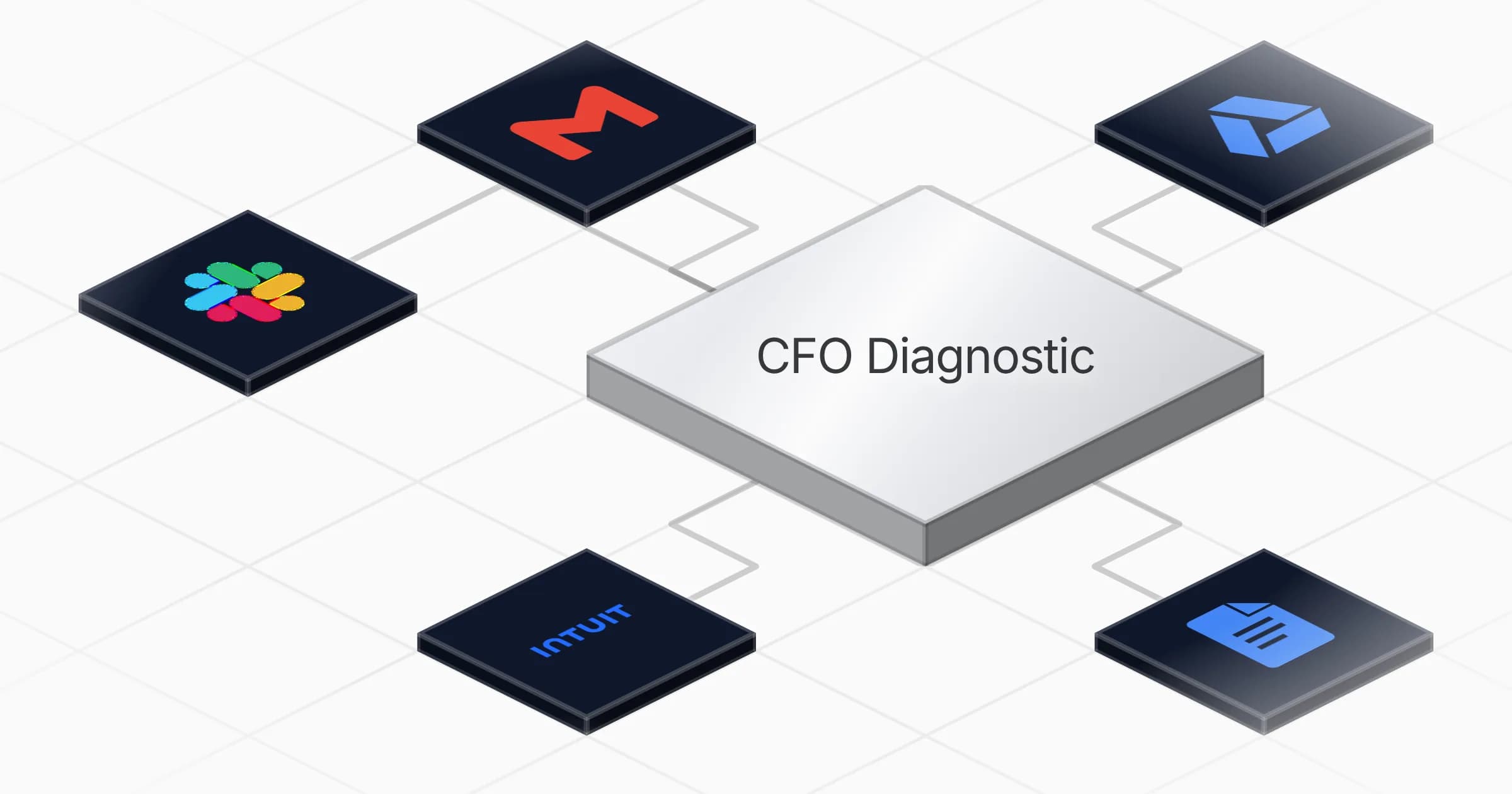
The agent pulls each client's financial statements from QuickBooks or from files in Google Drive. It follows a fixed diagnostic method loaded at every run: which statements to pull, how to structure the dataset, and how to fill the KPI grid and written analysis. The result is written into a branded Google Doc, exported to PDF, stored in Drive, and paired with a client email through Gmail. Slack keeps you posted on which clients were processed and which were skipped.

The schedule is set to run every Monday at 7am, and the same process can be triggered on demand when a client needs an off-cycle review. Each diagnostic follows the same layout, so clients receive a consistent report week over week.
What you will need

  • Gmail

  • Google Docs

  • Google Drive

  • Intuit QuickBooks

  • Slack

Agents in this template

CFO Diagnostic

Weekly on-demand fractional-CFO analyst: turns each client's QuickBooks or Drive financials into a branded diagnostic Google Doc + PDF + client email, skipping clients whose figures are unchanged.

Connectors

Skills · 1

cfo-diagnostic-method

Load at every run: the end-to-end procedure to turn a client's financial statements into a branded diagnostic Doc + PDF + email. Covers which statements to pull, how to type the dataset, the KPI grid with healthy/warning/critical bands, and the branded 9-section Doc structure.

Scheduled tasks · 1

weekly cfo diagnostic

At 07:00 AM, only on Monday

Frequently asked questions

Which accounts do I need to connect before it runs?

You connect Intuit QuickBooks, Google Docs, Google Drive, Gmail and Slack. QuickBooks or Drive files supply each client's financials, Docs and Drive hold the diagnostic and its PDF, Gmail carries the client email, and Slack reports which clients were processed.

How often does the diagnostic run?

It runs every Monday at 7am on a weekly schedule. The same process can also be triggered on demand whenever a client needs an off-cycle review.

What does each run actually produce?

For each active client it produces a branded diagnostic Google Doc built from their latest financials, a PDF version saved to Drive, and a client email ready to send through Gmail. Each report follows the same KPI grid and analysis layout week over week.

Does it report on every client every week?

No. Clients whose figures have not changed since the last run are skipped, so the output is limited to accounts with something new to report. Slack tells you which clients were processed and which were skipped.

Where does it get the financial data from?

It pulls each client's financial statements from QuickBooks or from files stored in Google Drive. It then follows a fixed diagnostic method that defines which statements to pull, how to structure the dataset, and how to fill the KPI grid and written analysis.

Does the agent send the client emails automatically?

It prepares a client email through Gmail alongside each diagnostic Doc and PDF. The brief describes the email as ready to send, so review your firm's sending step before it reaches clients.

More Other templates

Stacked dark document pages glowing with amber text lines on a metal base
Other

Write long-form lead-magnet articles as Google Docs with deep research

Turns a queued topic into a finished long-form lead-magnet article, researched on the live web and delivered as a shareable Google Doc

1 agent5 min setup

Your first agent is
three minutes away

Start for free
Rerun

Run your work on agents. Build them, watch them work, and keep your eyes on everything.

Rerun - Build, monitor and share self-improving autonomous agents | Product Hunt

© 2026 Rerun. All rights reserved.